Last updated: October 11, 2026
Key Takeaways
- Small managed redirect lists can work for one-off content moves.
- Treat URL changes as data when you need redirects and 404 handling at scale.
- For large migrations, generate redirects in bulk and preserve page-to-page intent.
- Classify 404s automatically and escalate only the ones that look fixable.
If you manage a site that changes often, the answer is usually to automate redirects and 404 handling from a source of truth, not by hand-editing server rules page by page; if you need help choosing the right setup, consult a professional and review Google Search Central’s guidance on 404s and soft 404s: https://developers.google.com/search/docs/crawling-indexing/http-network-errors/soft-404-errors That means mapping old URLs to new ones in a CMS, database, spreadsheet, or route manifest, then pushing those rules into your CDN, web server, app router, and monitoring stack on a schedule or on deploy.
What Actually Determines the Right Answer Here
If your redirects come from one-off content moves, then a small managed list may be enough. If your site has hundreds or thousands of URL changes from migrations, product launches, locale splits, or catalog churn, manual editing turns into a failure mode. The right setup depends on four things: where URLs live, how often they change, what platform serves them, and who approves them.
The first fork is whether redirects belong at the edge or in the app. If you run behind a CDN such as Cloudflare, Fastly, or Akamai, edge rules can be a good place to catch old URLs before they hit origin. If you’re on a platform with built-in routing, like Next.js, Netlify, or Vercel, app-level redirects may be easier to version with the codebase. If your content team owns URL changes, a CMS-driven redirect table is usually cleaner than stuffing exceptions into .htaccess or nginx.conf.
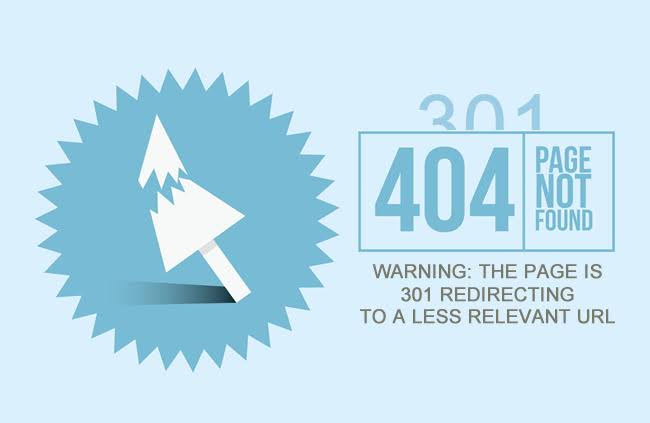
The second fork is how much control you need over 404s. A plain 404 is fine for genuinely dead URLs. A soft 404 is not. Search engines can treat pages that say “not found” but return 200 poorly, so that mistake can get expensive at scale; if you want the underlying rules, consult Google’s Search Central guidance on 404s and soft 404s before automating anything: https://developers.google.com/search/docs/crawling-indexing/http-network-errors/soft-404-errors
Here’s the decision in one table:
| Situation | Best Path | Why Other Options Fail |
|---|---|---|
| Small site, few changes per month | Static redirect file or server config | Overengineering adds review time without reducing much risk |
| Large CMS, frequent slug changes | Redirect table in the CMS or database | Hand-editing rules drifts out of sync quickly |
| Multi-region or high-traffic site | CDN or edge redirects | Origin-only handling adds latency and load |
| App router with deploy-based releases | Redirects in code plus tests | Separate ops rules get missed during releases |
| Migration with many retired pages | Rules + 404 monitoring + cleanup queue | Redirecting everything to the homepage creates junk signals |
The hard truth is that if you do not have a clear owner for URL changes, automation will not save you. It just makes mistakes faster.
Quick check: if you cannot answer “who approves a URL change?” in one sentence, your redirect process is already the problem.
How should I automate redirects and 404 handling at scale?
You should automate redirects and 404 handling at scale by treating URL changes like data, not configuration scraps; if you are unsure how to structure that workflow, consult a professional and use authoritative guidance such as RFC 9110 and Google Search Central. The practical pattern is: maintain a redirect source of truth, generate the rules you need, deploy them where traffic enters, and monitor the misses that still land on 404s.
If you’re on a modern stack, I would choose one of three paths:
- CMS-led redirects if editors change slugs often.
- Code-led redirects if developers own routes and deploys.
- Edge-led redirects if traffic volume or latency matters more than editor convenience.
A lot of generic advice stops there. That’s not enough. The automation has to cover the ugly part too: unknown URLs. A good 404 system logs the request path, referrer, user agent, country or locale if relevant, and whether the miss came from internal links, backlinks, or old bookmarks. Then it buckets those misses so you can decide whether to add a redirect, restore content, or leave the 404 in place.
Use a 301 for permanent moves, a 302 or 307 only when the destination is temporary, and do not “solve” missing pages with a homepage redirect unless the old URL is genuinely generic. Redirecting every dead product page to the homepage is how you build useless search signals and angry users.
A workable implementation usually includes these steps:
- Inventory every URL source: CMS slugs, product IDs, route files, sitemaps, and legacy exports.
- Create one canonical redirect file or table with source, target, status code, and owner.
- Set a rule for redirects: exact match first, then pattern match, then no match.
- Deploy rules at the earliest practical layer: CDN, server, or app router.
- Log every 404 with enough detail to classify it later.
- Review misses on a daily or weekly cadence, depending on traffic.
- Retire redirect entries only after you are sure old links no longer matter.
If you need a standards reference for status codes, HTTP Semantics in RFC 9110 from IETF is the clean place to anchor the policy: https://www.rfc-editor.org/rfc/rfc9110
The trade-off is simple: the more you centralize, the easier it is to govern, but the more work you create if the team that owns content cannot edit the source of truth without a developer.
Quick check: if your current redirect process depends on someone remembering to update three different places, it is time to centralize.
If You’re Migrating Thousands of URLs, Here’s What to Do
If you’re moving a large site, then bulk redirect generation is safer than manual triage, but only if you preserve page-to-page intent. The wrong move is to map old URLs to whatever page is closest in topic and call it done. That looks efficient for a week and then shows up as poor crawl quality, broken backlinks, and support tickets.
For migrations, I would use this order:
- Export the full old URL set from the live site, sitemap archives, analytics, logs, and any CMS export you can trust.
- Classify each URL: keep, redirect, consolidate, or retire.
- Build a mapping table with exact old-to-new pairs for high-value pages first.
- Write pattern rules for stable structures, such as `/blog/old-slug` to `/resources/new-slug` or locale prefixes.
- Test every rule in staging with a crawler such as Screaming Frog or Sitebulb.
- Check redirect chains and loops before launch.
- Keep the old rules live long enough to catch stale backlinks and bookmarks.
Exact mappings matter because pattern rules can overreach. A regular expression that looks elegant can send ten unrelated product pages to one category page. That is worse than leaving a small number of legacy URLs untouched. I would rather see a handful of deliberate 404s than a field of misleading redirects.
If your team uses enterprise routing, look at how the platform handles bulk rules. Cloudflare Bulk Redirects, Netlify redirect files, and edge workers all have different limits and ergonomics. The right choice depends on whether you need tens of rules or tens of thousands, and whether non-developers must edit them.
What most guides miss is the cleanup phase. Redirect maps rot. Every migration creates leftovers: deprecated categories, merged articles, deleted SKUs, renamed docs. Put a review date on the old rules. If a redirect still gets traffic after 6 or 12 months, keep it. If it has gone cold and no external links point to it, you can consider retiring it.
Quick check: if your migration includes many many-to-one redirects, your biggest risk is not speed; it is accidental mismatches.
How do I turn 404s into a useful signal instead of a mess?
You turn 404s into a useful signal by classifying them automatically and only escalating the ones that look fixable. If every 404 gets the same treatment, the queue becomes noise. If you drop them on the floor, you miss broken internal links and high-value backlinks pointing to old content.
Start with the simplest split:
- Internal link errors: an existing page links to a missing URL.
- External backlinks: other sites link to a retired or moved page.
- User typos: bad manual entry, often with junky referrers or none at all.
- Expected dead ends: URLs that were never valid, bots probing, or spam.
That split tells you what to automate next. Internal link errors should create tickets or even fail in CI if your link checker catches them. External backlinks deserve redirects if the destination is clear. Typos usually stay 404 unless they are common enough to justify a catch-all alias. Expected dead ends should be logged and left alone.
A useful 404 page does three things well: explains the miss in plain language, offers a site search box, and gives a few high-probability exit paths. If your site is documentation-heavy, include product docs, API docs, and support. If it is commerce-heavy, include categories, search, and account navigation. Avoid turning the 404 into a maze.
For automated handling, I would route 404s into alerting only when they cross a threshold or match a high-value pattern. For example, a sudden burst on /checkout is more urgent than a one-off typo on an archived blog URL. The exact threshold depends on traffic, but the principle holds: alert on change, not on every miss.
A plain-text log line is not enough at scale. Store the request path, referrer, timestamp, status code, country or locale, and whether the URL appeared in your sitemap. That is enough to tell a bad internal link from a stale bookmark. If you have access to structured logs in your CDN or app platform, use them.
Quick check: if you cannot tell in one glance whether a 404 came from your own site or from the outside world, your logging is too thin.
The 3 Conditions That Change Everything
If any one of these conditions is true, the usual redirect advice changes fast. The three are: heavy traffic, multi-language routing, and compliance-sensitive content.
If you have heavy traffic, then edge handling matters more than convenience. A redirect that adds a round trip to origin may be tolerable for a small blog and painful for a global storefront. In that case, use the CDN or edge layer for common patterns, keep exact rules close to traffic, and reserve origin-level logic for rare exceptions.
If you run multiple languages or country-specific sites, then one old URL may map to different targets depending on locale. A French old page should not always land on the English replacement. Build locale-aware mappings, and make sure your 404 page respects language as well. Otherwise you will “fix” a miss by sending the user to the wrong market.
If the content is compliance-sensitive — medical, legal, finance, or regulated product info — then a dead page is not just a UX problem. The redirect target has to preserve meaning, not merely similar keywords. In those cases, a review step by the relevant domain owner is worth the extra time. If legal or financial obligations apply, check with the right professional before automating away a notice page or required archive.
A simple rule helps: the more risk attached to the page, the less you should rely on pattern matching. Exact mappings and human review beat clever regex in regulated spaces.
Quick check: if the pages you move can change language, jurisdiction, or legal meaning, do not let one generic rule handle them.
When the Standard Advice Is Wrong
The standard advice is wrong when “fix it with a redirect” would hide a real problem. A redirect is not always the right answer, and I would reject it in a few cases.
Situation: spam or malicious URLs are flooding 404 logs.
What changes: the goal is not user recovery; it is noise reduction.
What to do instead: rate-limit, block at the edge, or ignore these paths in alerts. Do not create redirects for garbage URLs.
Situation: the old page had no real successor.
What changes: there is no honest destination.
What to do instead: leave a clean 404 or 410 and offer search or category navigation. A forced redirect only muddies analytics.
Situation: you changed site architecture, but the content still exists.
What changes: the URL structure moved, the meaning did not.
What to do instead: use exact or pattern-based 301s, then verify there are no chains. If there are chains, collapse them.
Situation: a product, doc, or article was deleted on purpose.
What changes: users should not be tricked into thinking it still exists.
What to do instead: 410 Gone can be better than a 404 when you want to signal deliberate removal, though search engines can handle either. Use it sparingly and consistently.
Situation: the same old URL has multiple possible destinations.
What changes: ambiguity kills automation quality.
What to do instead: route to a category, hub, or search results page only if that destination truly helps. Otherwise keep the 404 and review the mapping manually.
The hidden cost here is maintenance. Every redirect is a promise you will keep the target alive. If your team cannot uphold that promise, fewer redirects are better than bad ones.
Quick check: if your instinct is to redirect first and ask questions later, you probably need a stricter rule for when not to redirect.
A Practical Stack for Automation
If you need a stack that holds up in production, then combine rules, logs, and review into one loop. I would use a source of truth for redirects, a deployment target close to traffic, and a separate feedback loop for 404s.
A common setup looks like this:
- Redirect source in CMS, spreadsheet, Git, or database
- Deployment into CDN, reverse proxy, or app router
- 404 logging in analytics, log pipeline, or observability tool
- Weekly or daily review of new misses
- A crawler pass after major changes
The tools matter less than the handoff points. I would rather see a boring process that nobody forgets than a clever one hidden in three services. If your team lives in Git, keep redirect rules in version control.
Drafted with AI; not yet reviewed by a person.