Last updated: October 13, 2026
In short: automate page change monitoring for SEO-critical templates by watching the template fields, the rendered HTML, and the pages that depend on them, then route only meaningful changes to the right person fast enough to fix before search engines recrawl widely. This guide on How to automate page change monitoring for SEO-critical templates focuses on the page types that matter most for search visibility, not every edit on the site.
Key Takeaways
- If one template can power hundreds or tens of thousands of URLs, the template file alone is not enough.
- For SEO-critical pages, monitor changes in three steps: detect them, classify them, then route them.
- JavaScript rendering, faceted navigation, and high-volume publishing all change the monitoring design.
- With engineering support, code-based monitoring is often the most cost-effective long-term option.
If you manage product detail pages, category templates, location pages, or other template-driven URLs, the problem is not “Can I detect change?” It is “Can I tell the difference between a harmless copy tweak and a change that can move rankings, indexation, canonicals, schema, or internal links?” That is the system I would build.
What Actually Needs Monitoring, Not Just the Page Itself
If the same template can generate 500 or 50,000 URLs, then monitoring the template file alone is not enough. You need to watch the inputs that shape the page and the outputs that search engines actually crawl. A title tag changing in the CMS, a missing brand field, or a broken canonical in the rendered HTML can all matter more than a visible body copy edit.
The cleanest setup is to monitor four layers:
- Template logic — the code or CMS template that renders the page.
- Content fields — title, H1, intro, price, availability, category name, FAQ blocks.
- Rendered HTML — the final output after JavaScript, personalization, or server-side rendering.
- Crawl-significant signals — canonical, robots meta, structured data, hreflang, pagination links, internal links, noindex tags, and status code.
If the template is simple static HTML, Git-based file diffing may be enough. If it is a CMS with database fields, I would monitor publish events plus sampled rendered pages. If it is JavaScript-heavy, I would monitor rendered HTML with a headless browser, because the source code often hides what Googlebot actually sees.
A generic article usually misses this split and treats “page change monitoring” like one job. It is not one job. A description field change is not the same as a canonical switch, and your alerting should not pretend they are equal. Search Central’s guidance on JavaScript SEO also makes clear that Google may need rendered HTML for some content, so consult your technical SEO team or developer if you are unsure which layer matters most.
| Situation | Best Path | Why Other Options Fail |
|---|---|---|
| Small site, hand-edited pages | Git diff plus manual review | Too much automation creates noise you will ignore |
| CMS templates with field-driven pages | CMS webhook + HTML diff on sampled URLs | Template-only alerts miss bad field values |
| JavaScript-rendered pages | Rendered HTML monitoring with a browser crawler | Raw HTML misses client-side changes |
| Large faceted or catalog site | Template-level rules plus crawl samples and log review | Full-page monitoring at scale gets expensive and noisy |
If you are on a site with fewer than 200 critical URLs, you can get by with lighter tooling. If you are on 20,000 URLs or more, monitoring every page individually becomes a budget and alert-fatigue problem.
Quick check: if a change can happen in the CMS without a code deploy, you need field-level and rendered-page monitoring, not just Git diffs.
How to automate page change monitoring for SEO-critical templates
If the pages are SEO-critical, I would monitor changes in three stages: detect, classify, then route. That is better than blasting every edit into Slack and hoping someone notices the right one within 24 hours.
Here is the workflow I would use.
- List the templates that matter most. Start with pages that drive organic traffic or revenue: category pages, PDPs, location pages, service pages, and top landing pages. In many stacks, that means 10 to 30 templates, not every page on the site.
- Define the fields that can affect search performance. For each template, decide which fields are high-risk: title tag, meta description, H1, canonical, robots meta, structured data, breadcrumbs, product availability, pagination, and internal link modules.
- Capture a baseline. Export the current values and rendered HTML for those templates. Store this in a versioned system such as Git, S3, or a database table with timestamps, so you can compare “before” and “after.”
- Trigger checks on change events. Use CMS webhooks, deploy hooks, database triggers, or scheduled crawls. If your CMS can send a webhook on publish, use that. If not, schedule checks every hour or every day based on page volatility.
- Compare at the right layer. Diff the field values, the rendered HTML, and the extracted SEO elements separately. A canonical tag moving is more important than a footer copyright year changing.
- Score the change. Mark changes as critical, moderate, or low value. A noindex tag, canonical change, hreflang change, or schema removal is critical. A copy edit in the body may be moderate. A date change in the footer is usually low value.
- Route the alert to the right owner. Critical alerts go to SEO, engineering, or both. Moderate alerts go to the content owner. Low-value alerts can be grouped into a daily digest.
The tooling can be straightforward. For developer-led teams, I would look at GitHub Actions, GitLab CI, or a simple cron job plus a diff script. For CMS-heavy teams, Contentful, Sanity, Drupal, WordPress, or headless CMS webhooks can feed a monitoring pipeline. For crawl-based checks, Screaming Frog SEO Spider, Sitebulb, Lumar, or Oncrawl can help with scheduled snapshots, though the right pick depends on whether you need API access, render support, or alerting.
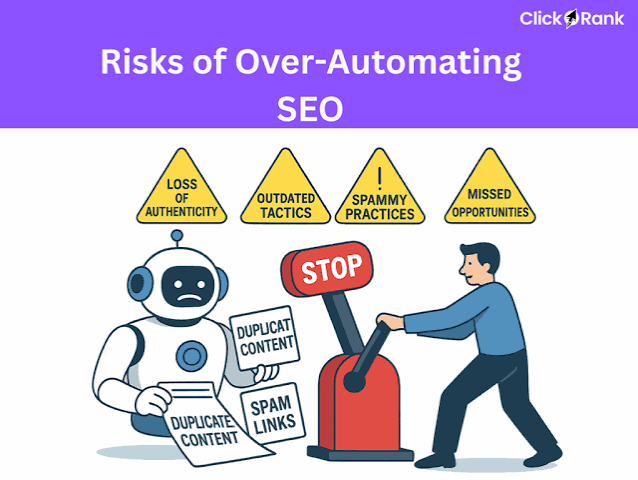
The biggest mistake is to alert on every difference. That creates “alert debt.” After a few false positives, nobody opens the message. I would rather miss a footer swap than bury a canonical error under 300 unhelpful notifications.
Quick check: if your team ignores current alerts, the problem is not detection; it is classification and routing.
The 3 Conditions That Change Everything
If you have any one of these conditions, the monitoring design changes a lot: JavaScript rendering, faceted navigation, or editorial publishing at scale. Ignore that, and the system looks elegant while missing the pages that matter.
First, if the page is rendered with JavaScript, monitor the rendered DOM, not just source HTML. A visible heading or link can appear only after hydration. That means using a headless browser or a crawler with rendering support. For SEO-critical pages, I would sample render checks at least daily on the highest-value URLs and on every deployment if the front end changes often. Google’s JavaScript SEO documentation is the right reference point here, and if the rendering setup is unclear, consult a technical SEO specialist before choosing your alert rules.
Second, if the site has faceted navigation or parameterized URLs, do not watch every URL equally. Watch the template rules that create crawlable combinations. A filter can suddenly expose thousands of indexable URLs if a canonical, robots tag, or parameter handling rule changes. In that case, one template change can outweigh thousands of page-level diffs.
Third, if the site publishes often, watch the workflow event, not just the page state. A newsroom, marketplace, or large ecommerce catalog can change hourly. If you wait for scheduled snapshots only, you will find issues late. CMS hooks or publish-event monitoring should be the primary trigger, with crawl verification as a backstop.
A useful rule of thumb: the more dynamic the site, the less useful “scan the whole site every night” becomes. Nightly crawls still have a place, but they are not enough for a template that can silently change canonicalization at noon and be recrawled by afternoon. At that scale, the risk is often section-wide, not page-by-page.
The standard advice fails here because it assumes page change is the same as content change. It is not. Template changes can alter indexability, internal link flow, or structured data across an entire section of the site. Google Search Central’s guidance on structured data and renderable content is a useful starting point for separating those layers.
Quick check: if a single template can affect thousands of URLs, monitor rules and rendering, not just pages.
Which Tools Fit Which Stack?
If you already have engineering help, code-based monitoring is usually the cheapest long-term path. If you do not, crawler-based tooling is faster to stand up. The right answer depends on whether the change source is code, CMS data, or generated HTML.
For a Git-first workflow, I would use a repository diff on template files and component libraries. This works well in headless systems and modern front ends where changes ship through pull requests. The upside is clean version history and easy approvals. The downside is that it misses changes made outside the repo, such as CMS content edits or third-party script injections.
For a CMS-first workflow, use publish webhooks plus a content snapshot. Many CMSs can fire on entry update or publish. That is ideal if your SEO-critical templates are driven by structured fields. The downside is that not every important page change is a CMS publish; some happen through deployment, personalization, or app logic. Contentful and WordPress both document webhook-style workflows, and they are worth checking if your stack is already CMS-led.
For crawl-first monitoring, scheduled snapshots from tools like Screaming Frog, Sitebulb, Lumar, or Oncrawl give you a view of what a bot can actually fetch. That is useful when the live page matters more than the CMS record. The downside is scale and delay: a crawler is a snapshot, not a live event stream. Google’s own crawling documentation is a useful external reference when you decide how often those snapshots should run.
For alerting, I would keep it boring: Slack, Microsoft Teams, email, or Jira tickets. The channel matters less than the rule. A noindex change on a template that drives organic landing traffic should create a high-priority ticket, not a chat message that disappears in an hour.
A simple decision rule helps:
- If the risk lives in code, use Git diffs.
- If the risk lives in CMS fields, use webhooks plus snapshots.
- If the risk lives in rendered output, use a crawler or headless browser.
- If the risk lives in process, add approvals before publish.
None of these alone is enough for every site. That is the honest trade-off: a lighter stack is cheaper, but it leaves blind spots.
Quick check: if you cannot say where the risky change originates, your monitoring stack is probably in the wrong layer.
How to cut noise without missing the important stuff
If you are getting too many alerts, reduce the number of monitored fields before you reduce the monitoring itself. That is the order that keeps you from blinding the team.
Start by separating “high SEO risk” from “low SEO noise.” High-risk examples include canonical tag changes, robots meta changes, hreflang changes, structured data removal, title tag changes on pages with steady traffic, and internal link module changes. Low-risk examples usually include body copy edits, footer copyright dates, and author bio text unless those fields are indexable or schema-backed.
I would also set different thresholds for different page types. A title change on a category page that brings in 10,000 organic sessions a month deserves tighter monitoring than a small FAQ page. That sounds obvious, but many systems treat every template the same and then flood the same inbox with equal urgency.
Another useful filter is change frequency. If one field changes 20 times a week, it belongs in a digest unless it correlates with ranking loss or indexing issues. If a canonical changes once and that page is important, it belongs in an instant alert.
The right balance often looks like this:
- Instant alert: canonical, robots, hreflang, schema, status code, major title change
- Daily digest: body copy, secondary modules, FAQ text
- Weekly review: low-value templates and recurring editorial patterns
That split keeps your team from treating a 404 and a grammar edit as the same event. It also keeps the system cheap enough to maintain. Monitoring every diff in real time sounds thorough, but it usually just means nobody reads the output.
This is where generic advice gets lazy. It says “set up alerts” and stops. Real monitoring needs a severity model, or it becomes inbox clutter with a fancy name. If you are unsure how strict that model should be, ask an SEO lead or technical consultant to review the thresholds before rollout.
Quick check: if every page change is being treated as equally urgent, your alert rules are too blunt.
Edge cases where the normal advice breaks down
If one of these scenarios applies, the normal “watch templates and alert on changes” plan needs a tweak.
-
Situation: pages are personalized by country, device, or login state.
What changes: the same URL can return different HTML depending on the request.
What to do instead: monitor representative variants with controlled user agents, geo settings, or logged-out states. One snapshot is not enough. -
Situation: a CDN or edge worker rewrites tags after origin render.
What changes: the CMS and origin HTML look fine, but the live response is different.
What to do instead: check the final response from the edge, not just the source system. This is common when canonicals, headers, or robots directives are injected downstream. -
Situation: the template pulls data from a third-party feed.
What changes: the SEO risk can come from inventory, pricing, or availability data you do not control.
What to do instead: monitor the feed freshness and the fallback behavior. If the feed fails, the page may still load but lose important content or schema. -
Situation: international sites use hreflang across many markets.
What changes: a small template change in one locale can break reciprocity across others.
What to do instead: validate hreflang clusters, not isolated pages. A missing alternate tag can be more harmful than a local copy edit. -
Situation: the site is in a release freeze or blackout period.
What changes: even low-risk changes can be unacceptable if a campaign or migration is live.
What to do instead: tighten approval rules and suppress nonessential changes until the window passes. -
Situation: you are dealing with staging-to-production promotion.
What changes: the same template can pass staging checks and still fail in production because of environment-specific data or scripts.
What to do instead: compare staging and production snapshots after deploy, not only before.
Quick check: if any downstream system can rewrite the final HTML, your monitoring must inspect the response users and bots actually receive.
A practical setup I would choose for most teams
If you want the shortest path to a useful system, I would build a three-tier setup: deploy hooks for code, CMS webhooks for content, and crawl verification for rendered HTML. That combination covers the most common failure modes without forcing you to monitor every page in the same way.
For a smaller team, start with the top 10 to 30 SEO-critical templates and a baseline snapshot for each one. Add alerting for canonical, robots, hreflang, schema, title tags, and status codes first. Then expand into secondary fields only if the first layer proves stable.
For a larger team, split ownership. Engineering owns code and render changes. SEO owns template rules and critical metadata. Content owns copy and publishing workflow. That division makes the alerts easier to route and much faster to resolve.
To keep the system useful, review it every month. Look for false positives, missed issues, and any page type that changed without an alert. The best monitoring stack is the one the team still trusts six months later, not the one that produces the most notifications on day one.
Common mistakes to avoid
One common mistake is treating template monitoring as a one-time setup project. In reality, the monitoring plan should change when the CMS, render layer, or site architecture changes. Another mistake is monitoring only production. Staging checks matter, but they cannot replace live-response verification.
A third mistake is relying on a single signal, such as Git diffs or crawl snapshots. That works until a change happens outside that channel. A fourth mistake is skipping owners and severity thresholds. If an alert does not say who should act and why, it tends to sit untouched.
The last mistake is assuming that “more monitoring” always means “better monitoring.” For SEO-critical templates, clarity beats volume. A smaller, more accurate alert set is usually what keeps teams responsive.
When to revisit the setup
Revisit the system when any of these change: a new CMS launches, rendering moves to JavaScript, a faceted section goes live, or the site crosses a new scale threshold. A good trigger is any jump in URL volume, any migration, or any quarter in which publish frequency rises sharply.
As a rule, if your site changes more than once per day on the same template, the monitoring should be event-driven. If it changes less often, scheduled snapshots may be enough. The right answer depends on volatility, not just site size.
That is why the best plan for How to automate page change monitoring for SEO-critical templates is not a single tool. It is a layered system that watches the right fields, understands the right severity, and sends the right alert to the right owner.
Drafted with AI; not yet reviewed by a person.